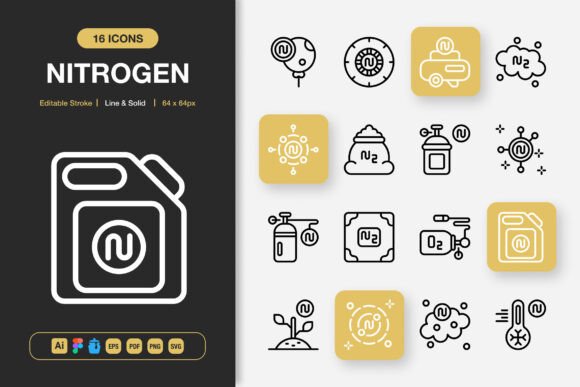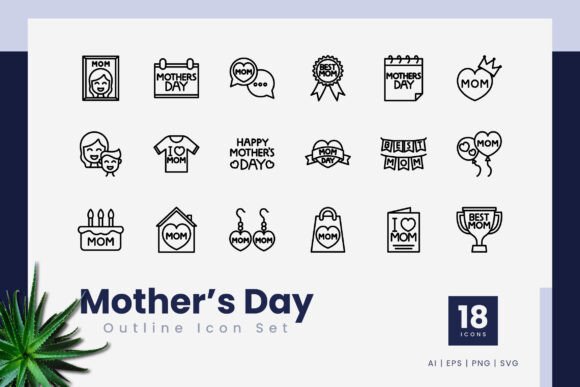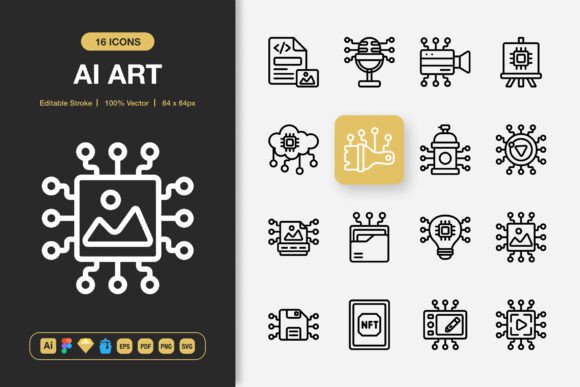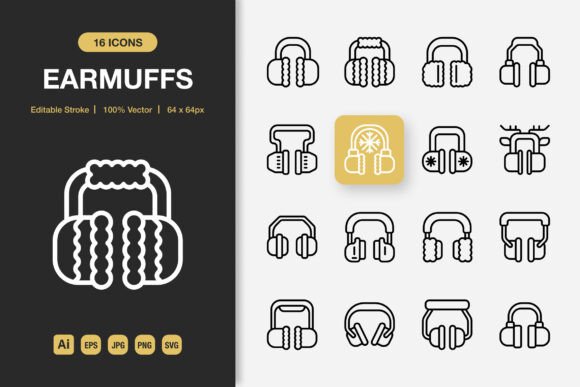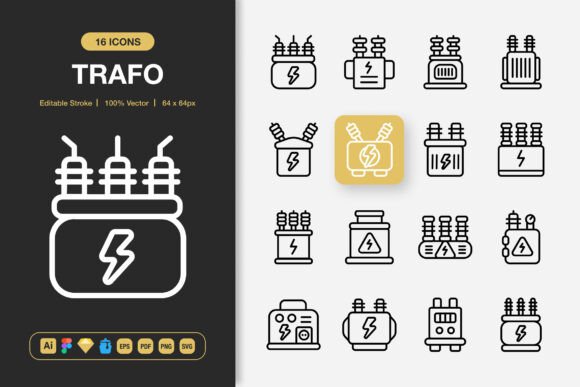
Trafo Icons: A Versatile Set of High-Quality Icons for Every Digital and Print Project
Finding the right icons for your project can be unexpectedly challenging. You may have experienced the frustration of searching through countless icon libraries, only to end up with a mismatched collection that fails to maintain visual consistency. Some icons are too detailed for small screens, while others lack the clarity needed for print materials. This is where Trafo Icons steps in as a practical solution. Trafo Icons is a thoughtfully curated set of high-quality icons built around a minimalist design philosophy, making them suitable for virtually any project you can imagine. Whether you are designing a website, developing a mobile app, laying out a book, or creating marketing collateral, this icon set offers the flexibility and consistency that professionals rely on.
The Real Challenge of Icon Selection in Modern Design
Icons are far more than decorative elements. They serve as visual cues that guide users, communicate ideas quickly, and enhance the overall aesthetic of a project. However, many designers and developers encounter common obstacles when sourcing icons. One of the most frequent issues is inconsistency. When you pull icons from different sources, stroke widths may vary, visual weights may differ, and the overall style can feel disjointed. This inconsistency can undermine the professionalism of your work, whether it is a mobile app interface or a printed brochure.
Another challenge is scalability. An icon that looks crisp at 256 pixels may become blurry or lose its detail when scaled down to 32 pixels. Conversely, icons designed only for small sizes may appear coarse and unrefined when enlarged for a poster or banner. Many icon sets fail to perform well across the full range of sizes that real projects demand. Additionally, file format limitations can create unnecessary friction. If you receive icons only in PNG format, you lose the ability to edit colors, adjust stroke weights, or modify shapes without starting from scratch. These practical hurdles can slow down your workflow and compromise the final result.
Beyond technical concerns, there is also the question of aesthetics. Minimalist design has become a dominant trend for good reason. It reduces cognitive load, improves readability, and creates a clean, modern look that resonates with audiences. However, not all minimalist icon sets are created equal. Some sacrifice clarity for simplicity, leaving users struggling to understand what the icon represents. Others are so generic that they fail to add any personality or distinction to your project. Trafo Icons addresses each of these pain points directly.
How Trafo Icons Helps You Overcome Icon Design Obstacles
Trafo Icons is built from the ground up to solve the most common problems that professionals face when working with icons. The set embraces a minimalist icon design approach that prioritizes clarity and usability. Every icon is crafted with an editable stroke, meaning you can adjust the line weight to match your specific design system. This level of customization ensures that the icons integrate seamlessly into your existing visual language, whether you are working on a brand identity, a user interface, or a publication layout.
One of the standout qualities of Trafo Icons is its high-quality construction. Each icon has been carefully designed to maintain its integrity across multiple sizes and contexts. Because the set includes a wide range of file formats, you never have to worry about compatibility issues. The package comes with source files for Adobe Illustrator, Figma, Iconjar, and Sketch, giving you direct access to the original vector data. This means you can edit colors, adjust shapes, and fine-tune every detail without any loss of quality. For those who need raster versions, the set includes PNG files with transparency at seven different sizes: 32px, 48px, 64px, 96px, 128px, 256px, and 512px. This range covers everything from small interface elements to large print-ready graphics.
The inclusion of an EPS Version 10 file further expands compatibility, making it easy to open the icons in older or more specialized software. A PDF file is also included, which can be useful for review purposes or for inserting directly into documents that support vector PDF content. The SVG files provide a web-friendly option that scales perfectly in any browser. With the Iconjar file, you can keep your icon library organized and accessible, streamlining your workflow for future projects. A simple Readme.txt file is also included to help you get started quickly.
Perhaps the most practical benefit of Trafo Icons is the easy drag-and-drop functionality. You can move icons directly from the folder into your design software without complicated import processes. This saves time and reduces friction, allowing you to focus on the creative aspects of your project rather than technical hurdles. The set is also 100% customizable, so you are never locked into a predetermined look. If you need to adapt an icon to match a specific color palette or adjust its proportions, you have full control.
Practical Applications Across Different Projects and Users
The versatility of Trafo Icons makes it a valuable resource for a wide range of applications. If you are building a website, clean and consistent icons can improve navigation, highlight key features, and enhance the overall user experience. Minimalist icons load quickly, which is beneficial for site performance, and they scale gracefully on different screen sizes from desktop monitors to mobile devices. For mobile apps, where screen real estate is limited, icons that communicate instantly and clearly are essential. The editable stroke feature allows you to fine-tune the icons to match your app's design system, ensuring a cohesive look.
For those working in publishing or content creation, such as books, infographics, or social media graphics, Trafo Icons offers a professional touch without overwhelming the layout. A book with well-chosen icons can guide readers through complex information, while infographics benefit from icons that reinforce data points visually. Social media posts often rely on bold, simple visuals to capture attention in crowded feeds, and minimalist icons are particularly effective in this context. The large PNG sizes mean you can use icons as hero images or visual anchors without worrying about pixelation.
Print materials like flyers, banners, and posters also benefit from this icon set. Because the vector files are resolution-independent, you can scale icons to any size for large-format printing without losing quality. The high contrast and clean lines of minimalist icons work well in print, where clarity and readability are paramount. Marketers and small business owners can use Trafo Icons to create professional-looking materials without needing to hire a designer for custom icon work. The ease of customization means you can adjust colors to match your brand guidelines with minimal effort.
Different users will approach this icon set in ways that suit their individual workflows. A graphic designer may dive straight into the Adobe Illustrator source file to create custom variations or combine icons with other design elements. A web developer might prefer the SVG files for direct integration into a codebase, appreciating the clean markup and scalable nature of vector graphics. A social media manager could rely on the pre-sized PNG files for quick uploads, saving time on resizing and optimization. An educator or author working on a book might use the PDF or EPS files to insert icons into layouts with ease. Each user benefits from the same core quality and consistency, but the delivery format allows them to interact with the icons in the way that is most efficient for their specific context.
Key Considerations When Choosing an Icon Set
When evaluating whether Trafo Icons is the right fit for your project, there are a few factors to keep in mind. First, consider the scale of your project. If you are working on a large design system that requires hundreds of unique icons, you will want to ensure that the set covers the categories you need. Trafo Icons focuses on quality over quantity, so it is best suited for projects where you need a reliable, cohesive set of core icons rather than an exhaustive library of obscure symbols. For most websites, apps, and marketing materials, this approach works well because it avoids visual clutter and maintains a consistent look.
Another consideration is your team's software environment. The inclusion of files for Figma, Sketch, and Iconjar makes this set particularly attractive for teams that use modern design tools. However, the EPS and SVG formats ensure that even users of older or less common software can still access and edit the icons. The PNG sizes cover typical use cases, but if you need a size outside the provided range, you can always export from the vector source files at your desired dimensions.
It is also worth noting that the minimalist design of Trafo Icons makes them highly adaptable to different branding styles. Whether your brand is corporate and formal, creative and playful, or somewhere in between, the clean lines and neutral style of these icons provide a solid foundation. You can inject brand personality through color choices, additional styling, or by pairing the icons with your own typography and imagery. This flexibility is one of the reasons why Trafo Icons is suitable for such a diverse range of projects, from professional business presentations to casual social media content.
Outcomes You Can Expect from Using Trafo Icons
Using a consistent, high-quality icon set like Trafo Icons leads to tangible improvements in your projects. First, you will notice a more polished and professional appearance. Icons that share the same stroke weight, visual style, and level of detail create a sense of harmony that audiences subconsciously recognize. This consistency builds trust and makes your content easier to navigate. Second, you will save significant time. Instead of hunting for individual icons across multiple platforms and adjusting each one to fit your needs, you have everything ready in one package. The drag-and-drop simplicity and multiple file formats mean you spend less time on technical tasks and more time on creative decision-making.
Third, you gain the ability to iterate quickly. Because the icons are fully customizable, you can experiment with different colors, sizes, and arrangements without starting from scratch. This is especially valuable during the design review process when stakeholders may request changes. Instead of saying that an icon cannot be modified, you can simply open the source file and make the adjustment. Finally, you future-proof your work. The vector formats ensure that your icons remain crisp and scalable even as display technologies evolve. Whether your project is viewed on a standard monitor, a retina display, or a large-format print, the quality will hold up.
Getting the Most Out of Trafo Icons
To maximize the value of this icon set, start by organizing the files in a way that suits your workflow. If you use Iconjar, you can import the provided file and tag icons by category for quick access. If you prefer a folder-based approach, the included Readme.txt file offers guidance. Before you begin a project, take a few minutes to review the full set of icons so you know what is available. This will help you avoid duplicating effort or overlooking a symbol that perfectly fits your needs. When customizing icons, maintain the original stroke alignment and geometric proportions to preserve the cohesive look of the set. Small adjustments can go a long way toward making the icons feel uniquely yours while still benefiting from the professional foundation.
For collaborative projects, consider sharing the Figma or Sketch files with your team. This ensures everyone is working from the same source of truth, reducing inconsistencies across different deliverables. If you are handing off designs to developers, providing SVG files gives them clean, scalable assets that integrate smoothly into code. For print projects, use the EPS or PDF files to maintain vector precision through the production pipeline. By matching the file format to the task at hand, you get the best possible results with the least amount of friction.
A Reliable Resource for Ongoing Projects
Trafo Icons is not just a one-time purchase; it is a resource you can return to again and again. As your projects evolve and your needs change, having a dependable set of high-quality icons at your fingertips reduces repetitive work and helps you maintain a consistent brand presence. Whether you are redesigning a website, launching a new app, creating a series of social media posts, or preparing print materials for an event, this icon set provides the foundation you need. The minimalist design ensures that your visuals stay relevant as design trends shift, because clean and simple forms have lasting appeal.
In a world where visual communication is more important than ever, having the right tools makes a meaningful difference. Trafo Icons gives you the flexibility to create with confidence, knowing that every icon meets a high standard of quality and usability. The combination of editable strokes, multiple file formats, and easy customization puts you in control. Whether you are a seasoned designer, a developer, a marketer, or a content creator, this icon set supports your work in practical and impactful ways. Hope you like it. Thanks for considering Trafo Icons for your next project.