Hacking Icons: The Ultimate Set of High-Quality Icons for Modern Design Projects
In the world of digital design, icons are more than just decorative elements—they are visual shortcuts that communicate ideas instantly. Among the many icon sets available, Hacking Icons stands out as a versatile collection crafted for designers, developers, and content creators who value both aesthetics and functionality. Whether you are building a website, developing a mobile app, designing a book layout, or preparing an infographic, having a reliable set of high-quality icons can streamline your workflow and elevate the final product. This article explores the key features, practical benefits, and real‑world applications of Hacking Icons, and explains why this minimalist icon set is an excellent choice for projects of any scale.
What Makes Hacking Icons a Designer’s Go‑To Set?
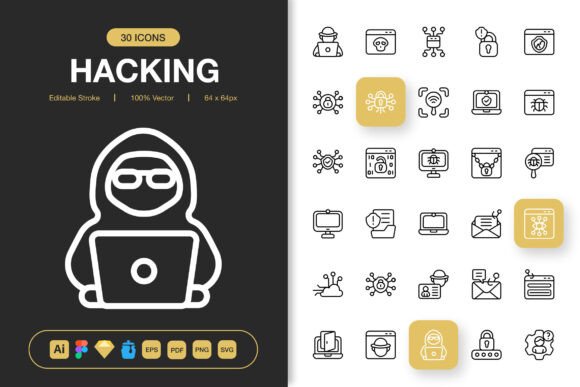
Hacking Icons are not just another collection of generic graphics. They are meticulously designed with a minimalist approach that ensures clarity and impact across different contexts. The set includes over a hundred icons covering topics such as cybersecurity, coding, technology, network infrastructure, and digital tools—making it particularly relevant for tech‑oriented projects. Yet the design language is clean and adaptable, so the icons blend seamlessly into non‑technical themes as well.
The primary strength of this set lies in its editable stroke feature. Each icon is built with strokes that can be easily modified—change the weight, color, or even convert them to fills—without losing the original geometry. This flexibility is a huge time‑saver for designers who need to align icons with brand guidelines or specific visual styles. Instead of starting from scratch or hunting for alternative icons, you can simply adjust the strokes in your vector editing software of choice.
High Quality and 100% Customizable
Quality is non‑negotiable when it comes to professional design assets. Hacking Icons are produced at a high resolution and retain their crispness even when scaled. The vector format ensures that you can resize them from tiny mobile icons to large poster graphics without any pixelation or loss of detail. Moreover, the set is 100% customizable. Every icon is built using simple shapes and paths, making it easy to change individual elements, combine icons, or apply unique color palettes. This level of customization empowers designers to create distinctive visuals while maintaining consistency throughout a project.
File Formats That Fit Every Workflow
One of the most frustrating aspects of using third‑party assets is dealing with incompatible file formats. Hacking Icons eliminate this problem by offering a comprehensive range of file types that cover virtually every design scenario. The package includes:
- Adobe Illustrator source file (.ai) – full vector control with layers and editable components.
- Figma file (.fig) – ready to import into your Figma projects for collaborative design.
- Iconjar file (.iconjar) – perfect for macOS users who want an organized icon library.
- Sketch file (.sketch) – native support for Sketch users with symbol‑based components.
- EPS Version 10 – a widely compatible vector format for older software and print workflows.
- PDF file – ideal for presentations, brochures, and documents that require high‑fidelity vector graphics.
- SVG file – lightweight and responsive, perfect for web and mobile interfaces.
- PNG transparency files at 32px, 48px, 64px, 96px, 128px, 256px, and 512px – ready‑to‑use raster images for quick insertion into apps, websites, or social media.
- Readme.txt – clear instructions and licensing information.
Having this variety means you can use the same icon set across different platforms and tools without conversion headaches. For instance, you might start designing in Figma for a web app, export SVGs for the development team, and later use PNGs for a social media campaign—all from the same source files.
Easy Drag and Drop Integration
The user experience of working with Hacking Icons is deliberately frictionless. The files are organized and labeled logically, allowing for easy drag and drop into your project. Whether you are laying out a mobile screen in Sketch or compiling a banner in Photoshop, you can simply drag the desired icon from the folder and place it where needed. No complex importing procedures or manual scaling are required—though you still have the option to fine‑tune if you wish.
This simplicity is particularly beneficial for non‑designers, such as marketers or developers who occasionally handle visual assets. You do not need to be an expert in vector editing to use the icons effectively. The pre‑made PNGs work out of the box, and the SVG files can be styled with CSS for additional customization. The learning curve is practically zero, which speeds up production cycles and reduces dependency on dedicated graphic resources.
Where Can You Use Hacking Icons?
Because the set is minimalist and thoughtfully crafted, it fits into a wide range of application areas. Below are some practical scenarios where Hacking Icons can make a difference.
Websites and Mobile Apps
Modern interfaces rely on intuitive iconography to guide users. Hacking Icons provide clear, recognizable symbols for navigation menus, call‑to‑action buttons, feature lists, and status indicators. The editable strokes allow you to adjust the stroke weight to match the overall typography and UI design. SVG files are particularly suitable for responsive websites because they scale beautifully across devices and can be animated or interacted with using CSS and JavaScript.
Books and Editorial Design
Printed materials such as technical manuals, cybersecurity guides, or coding textbooks benefit from well‑designed icons that break up dense text. The high‑resolution PNGs and EPS files ensure that the icons remain sharp in print. You can use them to illustrate concepts, highlight key points, or create engaging chapter headers. The minimalist style prevents visual clutter, keeping the reader’s focus on the content.
Social Media and Infographics
Social media posts and infographics need eye‑catching visuals that convey information quickly. Hacking Icons can be used to create custom social media templates, explainer graphics, or data visualization elements. Since the icons are vector‑based, you can easily recolor them to fit brand colors or combine them with other graphics. The PNG files at multiple sizes also allow you to choose the perfect resolution for each platform, whether it’s a Twitter card (small) or an Instagram story (larger).
Flyers, Posters, and Banners
For promotional materials, you need graphics that are both attention‑grabbing and scalable. Hacking Icons work well on large‑format prints because vector files preserve details at any size. A poster advertising a hackathon or a tech conference can use the icons to depict different challenges or themes. Similarly, flyers for coding workshops or networking events become more visually appealing with consistent iconography.
Presentations and E‑Learning
Slide decks and online courses rely on visual aids to reinforce learning. Hacking Icons can be placed on slides to illustrate complex topics such as network security, data encryption, or software development. The ability to customize icons helps maintain a consistent look throughout a presentation. You can even strip out the stroke and use solid‑colored icons for minimalistic slides.
Practical Benefits for Teams and Freelancers
Whether you work solo or as part of a larger design team, Hacking Icons offer practical advantages that go beyond aesthetics. The easy drag and drop and multiple file formats reduce the time spent on asset management. Everyone can access the icons in the format they need without asking someone to export files repeatedly. The source files (Illustrator, Figma, Sketch) allow team members to maintain a shared library where icons can be updated globally.
Another benefit is the high quality of the vectors. Many free icon sets contain poorly constructed paths or uneven strokes that look unprofessional when printed or displayed on retina screens. Hacking Icons are built with precision, ensuring that each icon’s geometry is clean and mathematically sound. This is especially important when you need to enlarge an icon for a poster or use it as a centerpiece in a design.
Customization Tips for Getting the Most Out of the Set
To truly leverage the 100% customizable nature of Hacking Icons, consider these recommendations:
- Change stroke weight – For a lighter, more elegant look, thin the strokes. For a bolder, modern appearance, thicken them. The uniform stroke system makes this easy to apply across all icons.
- Apply brand colors – Use Figma or Illustrator to replace the stroke color with your brand palette. You can also create color variations for hover states or different themes.
- Combine icons – Merge two or more icons to create custom symbols. For example, combine a lock icon with a cloud icon to represent cloud security.
- Convert strokes to fills – Some projects may require filled icons instead of outlined ones. With the editable strokes, you can expand them and fill the shapes with solid color while preserving the design intent.
- Resize without worry – Because the icons are vector, you can scale them up or down as needed. Use the provided PNG files for quick previews, but always keep the vector sources handy for final adjustments.
Final Thoughts on Hacking Icons
In a crowded marketplace of icon sets, Hacking Icons distinguish themselves through meticulous craftsmanship, extensive file support, and genuine usability. The set is not just about hacking themes in a literal sense—it is about gaining the ability to customize, scale, and deploy icons efficiently across any project. Whether you are a seasoned designer working on a comprehensive branding kit or a beginner putting together a simple social media graphic, this collection provides the flexibility and quality needed to achieve professional results.
The inclusion of Adobe Illustrator, Figma, Sketch, and Iconjar files ensures that Hacking Icons integrate smoothly into existing design pipelines. The variety of PNG resolutions saves time when you need ready‑to‑use assets, while the vector formats guarantee future‑proofing. And with a simple drag‑and‑drop approach, you can start using the icons immediately without a steep learning curve.
Ultimately, great design is about making the right tools invisible—you focus on your message while the assets support you. Hacking Icons do exactly that: they disappear into your workflow while adding visual clarity and consistency. If you are looking for a reliable, high‑quality icon set that gives you full control over every detail, this is a collection worth exploring.