Product Features Icon Pack: 200 Versatile Icons for Modern Design Workflows
If you've ever spent an afternoon hunting for the right icon—only to end up with mismatched styles or low-resolution files that look blurry on a retina screen—you know the frustration. I've been there more times than I'd like to admit. The Product Features Icon Pack aims to solve that exact pain point. It's a collection of 200 stylish, trend-aware icons covering popular services and ideas, designed to fit seamlessly into websites, mobile apps, presentations, reports, infographics, and templates. Whether you're a designer, marketer, content creator, or small business owner, having a reliable set of visual assets at your fingertips can make the difference between a project that feels polished and one that looks like it was cobbled together at the last minute.
What Makes This Icon Pack Stand Out
The first thing you notice about the Product Features Icon Pack is its visual personality. These aren't generic clip-art remnants from the early 2000s. The icons feel fresh and contemporary, with clean lines, balanced proportions, and a cohesive aesthetic that works across different contexts. Each icon has been crafted with attention to detail—subtle curves, consistent stroke weights, and thoughtful negative space give the set a unified look. That consistency matters more than most people realize. When you drop an icon into a layout, it should feel like it belongs there, not like it wandered in from another design system.
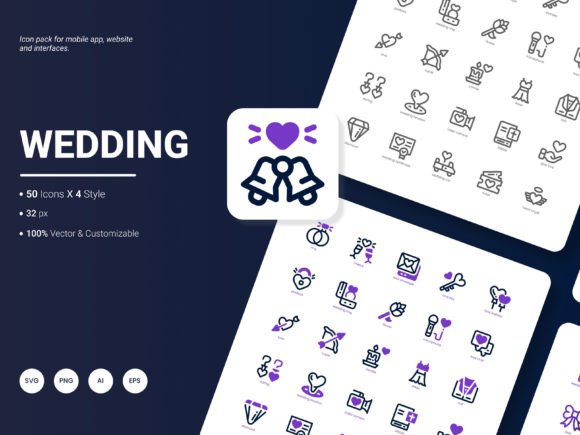
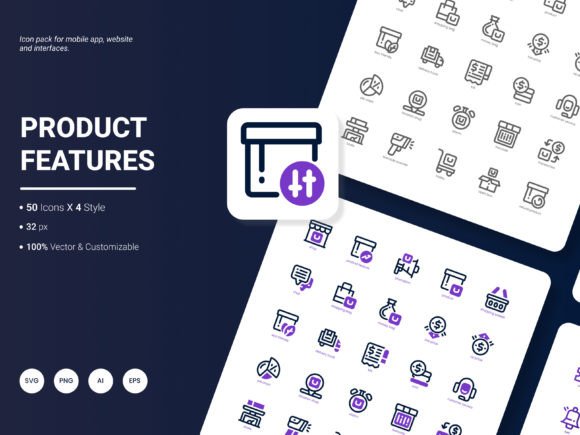
The pack offers four distinct styles, which gives you flexibility without overwhelming your workflow. You can stick with one style for a consistent brand identity, or mix and match for variety in presentations and social media graphics. The four styles cover different use cases: some are more minimal and line-based, others have filled elements for stronger visual weight, and there are variations that work well at small sizes versus larger hero sections. Having options within one pack means you don't have to source icons from multiple vendors and pray they align aesthetically.
Another aspect worth noting is the popular content focus. The icons aren't abstract or overly niche—they cover the services, tools, and ideas that actually show up in real-world projects. Think communication symbols, productivity concepts, media controls, business functions, and everyday digital interactions. This makes the pack immediately useful rather than a collection of obscure shapes you'll never touch.
Six Formats, One Seamless Workflow
One of the practical headaches with icon packs is format compatibility. You might love a set, only to discover it only ships in PNG and you need vector files for a responsive web design. The Product Features Icon Pack addresses this by including six formats: AI, EPS, SVG, PNG, PDF, and JPG. That range covers virtually every common design scenario.
For web designers, SVG is the obvious choice—scalable, lightweight, and easy to style with CSS. If you're working in Adobe Illustrator or Affinity Designer, the AI and EPS files give you full vector editing capabilities. Need to drop an icon into a client presentation? The PNG and JPG versions are ready to go with transparent or white backgrounds. And if you're preparing a print-ready document or a PDF report, the PDF format ensures your icons stay crisp at any resolution. Having all six formats in one download means you don't have to convert files or hunt for alternative versions. It's a small detail, but it saves time when you're under deadline.
The icons are also fully editable. Whether you want to recolor them to match your brand palette, adjust stroke thickness, or combine elements to create a custom icon, the vector files give you that control. For brand identity work, this is huge. You can maintain consistency across touchpoints without being locked into someone else's color choices.
Where This Icon Pack Shines in Real Projects
Let's talk about practical applications. I've seen icon packs used well and used poorly, and the difference usually comes down to whether the designer considered context from the start. The Product Features Icon Pack works particularly well in several scenarios:
Website and Mobile App Design
In user interfaces, icons do heavy lifting. They guide navigation, communicate actions, and reduce cognitive load—but only if they're clear and consistent. This set's modern typography-inspired proportions mean the icons sit comfortably alongside body text and headings. Whether you're building a SaaS dashboard, a mobile banking app, or a portfolio site, the icons remain legible at small sizes without losing their character. I'd recommend using the simpler line-based styles for navigation bars and the filled variants for call-to-action buttons or feature highlights.
Presentations and Analytical Reports
If you've ever tried to make a quarterly report visually engaging, you know how easy it is to fall into bullet-point hell. Icons break up text, signal what each section is about, and help viewers scan content quickly. The Product Features Icon Pack gives you symbols for growth metrics, communication channels, data analysis, team collaboration, and more. Drop an icon next to a key statistic, and suddenly the slide has a focal point. For infographics, the variety of styles lets you create visual hierarchy—use filled icons for main categories and outline icons for sub-points.
Social Media Graphics and Marketing Assets
Consistency across social channels builds recognition, but maintaining a unified visual language can be time-consuming. Having a reliable icon set means you can create Instagram carousels, LinkedIn posts, and email headers that all feel part of the same brand system. The editable formats let you match your brand colors exactly, and the vector files ensure your graphics stay sharp whether they're viewed on a phone or a 27-inch monitor.
How to Evaluate Whether This Pack Fits Your Project
Choosing an icon pack isn't that different from choosing a typeface. You need to consider personality, readability, and how it interacts with other elements. Here's a practical way to think about it:
Consider your brand's visual voice. If your brand identity leans toward clean, modern, and approachable, the Product Features Icon Pack aligns well. The icons don't have a heavy-handed decorative style—they're display-oriented without being overly ornate. They work as supporting actors, not lead performers, which is what you want in most functional applications.
Test size and clarity early. Take a few icons and place them in your layout at the sizes you'll actually use. Check how they look at 16px in a mobile menu, at 48px next to a section heading, and at 120px on a hero banner. Because the set offers multiple styles, you might find that one style excels at small sizes while another works better as a larger focal point.
Think about font pairing. Just as a serif font pairs differently with a sans serif font, icons interact with your chosen type. The clean, geometric nature of these icons pairs naturally with neutral sans-serif typefaces like Inter, Roboto, or Open Sans. If you're using a more expressive script font or handwritten font in your design, consider whether the icons' precision might contrast too sharply—that can be intentional for certain brand identities, but it's worth testing.
Review licensing for commercial use. The pack is designed for both personal and commercial projects, so you can use it in client work, published products, and marketing materials without worrying about attribution or usage limits. Always double-check the specific license terms provided with your download to confirm coverage for your use case.
Practical Recommendations for Getting the Most Out of This Pack
Based on my experience working with icon systems, here are a few approaches that tend to produce strong results:
- Create a consistent color strategy. Pick two or three brand colors and apply them across all icons in a project. Avoid using a rainbow of colors unless the context specifically calls for it—brand consistency builds recognition.
- Use icons to reinforce, not replace, text. Icons work best when they complement labels, not when they carry the entire meaning on their own. A phone icon next to "Contact Us" is clear; a phone icon alone might not be.
- Maintain visual rhythm. If you're using icons in a grid or list, keep them at consistent sizes and alignments. Even small discrepancies in positioning can make a layout feel unsteady.
- Consider accessibility. For critical user interface elements, consider pairing icons with text labels, especially for audiences that may rely on screen readers or have visual impairments.
One more thought: the Product Features Icon Pack is well-suited for editorial design and packaging design as well. In editorial layouts, icons can mark table of contents sections, highlight pull quotes, or serve as decorative elements that reinforce the theme. For packaging, a small icon can communicate product features at a glance—biodegradable material, recyclable packaging, cruelty-free testing—without cluttering the label with additional copy.
Ideas for the Next Update
No icon pack is ever truly finished, and the team behind this one has invited suggestions for future releases. If I could offer a few directions for the next update, I'd suggest expanding the set to include more niche industry symbols—things like scientific research icons, specialized medical symbols, or e-commerce checkout flow icons. Also, adding a monolinear style variant would give users even more flexibility for minimal UI work. Finally, a small set of animated SVG icons for web use could be a game-changer for designers looking to add subtle motion without heavy code libraries.
If you have specific needs—whether it's more icons in a certain category, alternate stroke weights, or additional file formats—it's worth reaching out. Icon packs evolve based on what people actually use, and feedback helps shape something that works better for everyone.
At the end of the day, the Product Features Icon Pack offers a solid balance of quantity, quality, and flexibility. With 200 icons, six formats, four styles, and full editability, it's a practical asset for anyone who works with visual content regularly. Whether you're building a brand identity, designing a mobile app, or putting together a presentation that needs to hold attention, having a cohesive icon system saves you time and elevates the final result.