Aircraft Silhouette: A Practical Guide to Using Aviation Vector Graphics
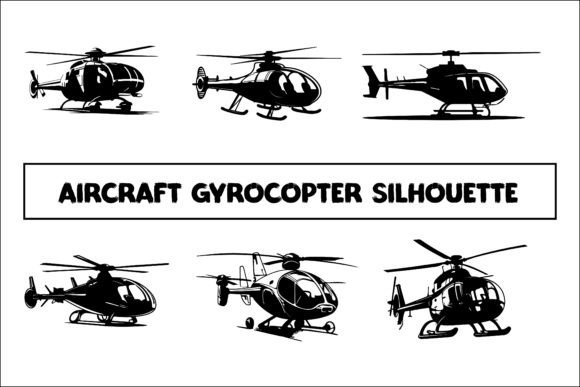
An aircraft silhouette is a simplified, single-color representation of an aviation vehicle—typically black or dark—that captures the distinct outline of planes, blimps, gyrocopters, helicopters, or other flying machines. These vector-based graphics strip away interior details, leaving only the outer shape, which makes them immediately recognizable and highly versatile for design work. When you download a package like Aircraft Silhouette ✈️, you typically receive the graphic in three formats: editable EPS files, transparent PNG files, and high-resolution JPG images. This combination allows you to integrate the silhouette into virtually any digital or print project without worrying about background clutter or resolution loss.
For anyone involved in graphic design, web development, merchandise creation, or marketing, understanding what aircraft silhouettes offer—and where they fall short—can help you decide whether they are the right tool for your next project. This article provides an objective look at the benefits, tradeoffs, and practical considerations of using aircraft silhouettes, so you can make an informed choice.
What Is an Aircraft Silhouette?
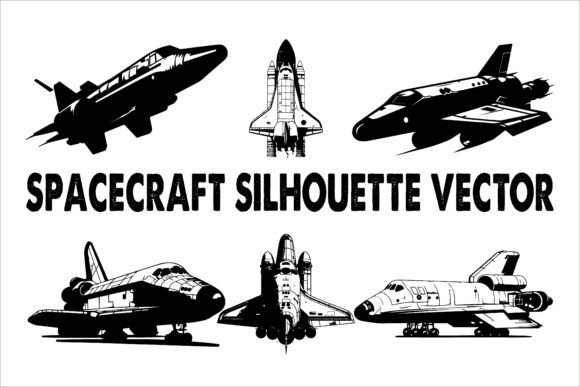
An aircraft silhouette is essentially a vector or raster outline of an aviation vehicle. Unlike a detailed illustration or photograph, a silhouette focuses entirely on the shape and proportions of the subject. Common examples include silhouettes of fixed-wing airplanes, helicopters, blimps, gyrocopters, and even futuristic flying vehicles. The simplicity of these graphics makes them ideal for situations where you need a clean, recognizable icon without visual noise.
Packages such as Aircraft Silhouette ✈️ often bundle multiple views and types of aircraft, giving you a library of outlines to choose from. The inclusion of EPS (Encapsulated PostScript) files means you can edit the silhouette in vector editing software like Adobe Illustrator or Inkscape, adjusting size, color, or shape without losing quality. Transparent PNG files are ready for immediate use on websites or digital documents, while high-resolution JPG images work well in print materials that require a solid background or a specific resolution.
Why Consider Using Aircraft Silhouettes?
Designers and content creators turn to aircraft silhouettes for several practical reasons. First, the simplicity of a silhouette communicates the subject instantly. Whether you are designing a poster for an aviation event, a website icon for a flight booking service, or a sticker for a pilot’s gear, a silhouette cuts through visual clutter. Second, the vector format (EPS) allows infinite scaling—you can enlarge a silhouette to billboard size or shrink it to a favicon without pixelation. Third, the transparency of PNG files gives you flexibility to place the graphic over any background or color scheme without a white box around it.
Another reason to choose a silhouette over a full-color illustration is cost and speed. Pre-made silhouette packs are affordable and ready to download, saving you hours of custom drawing time. They also work well in monochrome or limited-color designs, where a detailed photograph would feel too busy or clash with the overall aesthetic.
Benefits
Versatility across media. Because the files come in EPS, PNG, and JPG formats, you can use them in almost any design workflow. EPS files are ideal for print design and editing, PNG files for web and digital use, and JPG files for quick placement in documents or presentations.
Scalability without loss. Vector silhouettes never lose clarity, regardless of how much you enlarge or reduce them. This is essential for projects that require both small icons and large-format prints.
Easy customization. With an EPS file, you can recolor the silhouette to match your brand palette, rotate it, combine it with other elements, or even modify the outline slightly. This level of control is harder to achieve with raster images.
Immediate recognizability. A well-designed silhouette of a gyrocopter, blimp, or airplane is instantly identifiable, even at small sizes. This makes it effective for logos, badges, and navigation icons.
Tradeoffs
Lack of detail. By design, silhouettes omit interior details like windows, landing gear, or rotor blades. If your project requires a realistic or highly detailed depiction, a silhouette may feel too minimal.
Limited visual impact in certain contexts. In a design that relies on color and texture, a single-color silhouette might appear flat. It works best when used as part of a layered composition or against a contrasting background.
Potential for generic look. Because many designers use similar silhouette packs, there is a risk that your graphic may resemble others in the same niche. Customization (e.g., flipping, rotating, or combining silhouettes) can help differentiate your project.
License and usage restrictions. Always check the license of the silhouette pack you download. Some packs allow commercial use, while others restrict resale or require attribution. The Aircraft Silhouette ✈️ package typically grants broad usage rights, but it is wise to confirm before using the files in products you intend to sell.
Expectations When Downloading and Using Aircraft Silhouettes
When you download a set like Aircraft Silhouette ✈️, you should expect to receive a bundle of files organized by format. The EPS files will open in vector editing programs and allow you to change colors, resize, and export to other formats. The transparent PNG files will have a clean alpha channel, meaning you can place them over any background color or image in software like Photoshop, Canva, or PowerPoint. The high-resolution JPG images will have a white or transparent background depending on the specific file, so inspect them before use.
One practical consideration is file naming and organization. A good silhouette pack includes clear file names (e.g., “gyrocopter-side.eps,” “blimp-front.png”) so you can quickly find the image you need. If the pack includes multiple angles or types of aircraft, take time to browse the full collection before starting your design—you might discover a view that fits your layout better than the one you initially planned to use.
Another expectation is that you may need to adjust the silhouette to fit your project’s scale and resolution. For example, a PNG file at 300 DPI is suitable for print, but if you are using it for a website, you might want to reduce the resolution to 72 DPI to keep load times low. Vector files give you full control over these settings.
Where Aircraft Silhouettes Are a Strong Fit
Aircraft silhouettes excel in projects that value clarity, simplicity, and speed. Here are specific scenarios where they are a particularly good choice:
- Graphic design projects like posters, flyers, banners, and brochures for aviation events, flight schools, or air shows. The silhouette can serve as a central visual element or a subtle background watermark.
- Web and app design where you need icons for navigation, buttons, or section headers. A transparent PNG silhouette loads quickly and scales cleanly on different screen sizes.
- Merchandise such as T-shirts, mugs, stickers, and hats. Silhouettes print well in one color and maintain their shape even on fabric or curved surfaces.
- Advertising and social media where you need a bold, recognizable graphic that works in small thumbnail sizes or as part of a branded template.
- Presentations and educational materials like PowerPoint slides, infographics, and textbooks. The silhouette conveys the subject without distracting from the key message.
- Stationery and packaging where a clean, professional look is desired. A gyrocopter or airplane silhouette on a business card or product label can reinforce an aviation-related brand identity.
- Art and craft projects such as wall art, scrapbooking, or DIY decorations. Because the files are easy to resize, you can print them at any size for framing or collaging.
When Alternatives May Be Worth Considering
While aircraft silhouettes are highly useful, they are not always the best option. Here are situations where you might want to explore alternatives:
When you need photorealistic detail. If your project calls for a realistic aircraft image—such as a brochure for a flight simulator or a technical manual—a photograph or a detailed vector illustration will serve you better than a silhouette.
When you require specific aircraft models. A generic silhouette may not accurately represent a particular make or model of airplane, helicopter, or gyrocopter. If accuracy matters, consider using a custom-drawn vector or a photograph of the actual vehicle.
When your design uses multiple colors and gradients. Silhouettes are inherently monochrome. If your visual style relies on color variation, shading, or texture, a silhouette may feel incomplete. In such cases, a full-color vector illustration or a layered graphic might be more appropriate.
When you need a unique or exclusive image. Because silhouette packs are widely used, you might encounter the same graphic in another brand’s materials. If originality is critical, commissioning a custom silhouette or creating your own from scratch could be a better investment.
When working with very small sizes. While silhouettes scale well in vector format, extremely small renderings (like a 16x16 pixel favicon) may lose the distinguishing features of the aircraft. For tiny icons, a simplified symbol or an initial letter may communicate the subject more clearly.
Practical Decision-Making Insights
Choosing whether to use an aircraft silhouette comes down to aligning the graphic’s strengths with your project’s goals. Start by answering a few questions:
- What is the primary purpose of the image? If it is to identify, symbolize, or represent an aircraft in a clean way, a silhouette is a solid choice. If the purpose is to inform or impress with detail, look elsewhere.
- What media will the graphic appear in? For digital use, transparent PNGs and scalable EPS files are ideal. For print, high-resolution JPGs or EPS files work well. Make sure the file format matches your output.
- How important is speed and cost? Pre-made silhouette packs save time and money compared to custom illustration. If your budget or timeline is tight, a pack like Aircraft Silhouette ✈️ offers immediate value.
- Will you need to edit or customize the graphic? If you plan to change colors, combine silhouettes, or adapt the shape, choose a pack that provides editable EPS files. Raster-only packs limit your flexibility.
- Does your brand require consistency? If you are creating a series of designs (e.g., for a website, social media, and merchandise), using silhouettes from the same pack ensures a coherent visual style.
It is also worth testing the silhouette in your actual layout before committing. Place the PNG over your background, check the scale, and evaluate whether the outline reads clearly. Sometimes a silhouette that looks great alone can feel too small or too large in context. Vector files allow you to adjust these aspects on the fly, while raster images may require re-exporting.
How to Determine Whether Aircraft Silhouettes Align with Your Goals
If your goal is to create a clean, recognizable, and cost-effective visual that works across multiple media, aircraft silhouettes are an excellent fit. They are particularly well-suited for branding, merchandise, and digital projects where simplicity and instant recognition matter. The combination of EPS, PNG, and JPG files gives you the flexibility to work in whatever software or platform you prefer, and the high resolution ensures professional results in print.
On the other hand, if your project demands high detail, model-specific accuracy, or a unique visual identity, you may find silhouettes too limiting. In those cases, investing in a custom vector illustration or sourcing high-quality photographs will better meet your needs. Similarly, if your design aesthetic relies on rich color and texture, a silhouette alone will likely feel incomplete—though you can combine it with other graphic elements to add depth.
Finally, consider the long-term use of the graphics. If you anticipate needing multiple variants or frequent updates, a vector-based silhouette pack gives you the freedom to edit and repurpose the files indefinitely. For one-off projects, even a single JPG might suffice. Understanding your workflow and end use will guide you to the right format.
In summary, aircraft silhouettes offer a practical, versatile, and affordable solution for a wide range of design needs. By weighing the benefits against the tradeoffs, and by considering the specific context of your project, you can decide with confidence whether a pack like Aircraft Silhouette ✈️ aligns with your goals. Whether you are designing for aviation enthusiasts, building a brand, or creating educational content, these simplified outlines can help you communicate the idea of flight quickly and effectively.